Data warehousing: What is BigQuery and how do I get started?
Lace Rogers•21 December 2020•3 min read
At Measurelab we live and breathe the Google Cloud Platform, so our specialists are experts in Bigquery. We have decided in this series to share our knowledge and take you through some great techniques to maintain your BigQuery data warehouse.
So firstly-what is BigQuery?
BigQuery is a fully-managed, serverless data warehouse that enables scalable analysis over petabytes of data.
...and that means?
Simply put, BigQuery is a fantastic cloud-based data warehouse in which you can store huge volumes of data and use SQL (and other tools) to query that data extremely quickly. It can put your company in control of its own data and tends to be incredibly low cost to manage and process data.
BigQuery is part of the Google Cloud environment, which contains many complementary tools that supports creating a centralised warehouse from multiple data sources and relational datasets.
What is in it for me?
So firstly if you have a Google Analytics 4, 360, or Firebase account you can stream event and hit level daily tables and store them in the BigQuery data warehouse with only a couple of clicks. However, BigQuery is much more than that and provides many tools that allow you to automate and read in data from many sources so long as the data is structured. This includes reading in your marketing and CRM data from APIs, CSVs, and even your Google drive, to create a centralised data warehouse for your one point of truth. Imagine how easy it is then to calculate your Return On Advertising Spend (ROAS).
An additional feature of BigQuery is just how scalable it is at a relatively low cost for storage, which means your data warehouse can grow as you do as you're only charged for what you use. We will talk more about the cost comparisons in a later post.
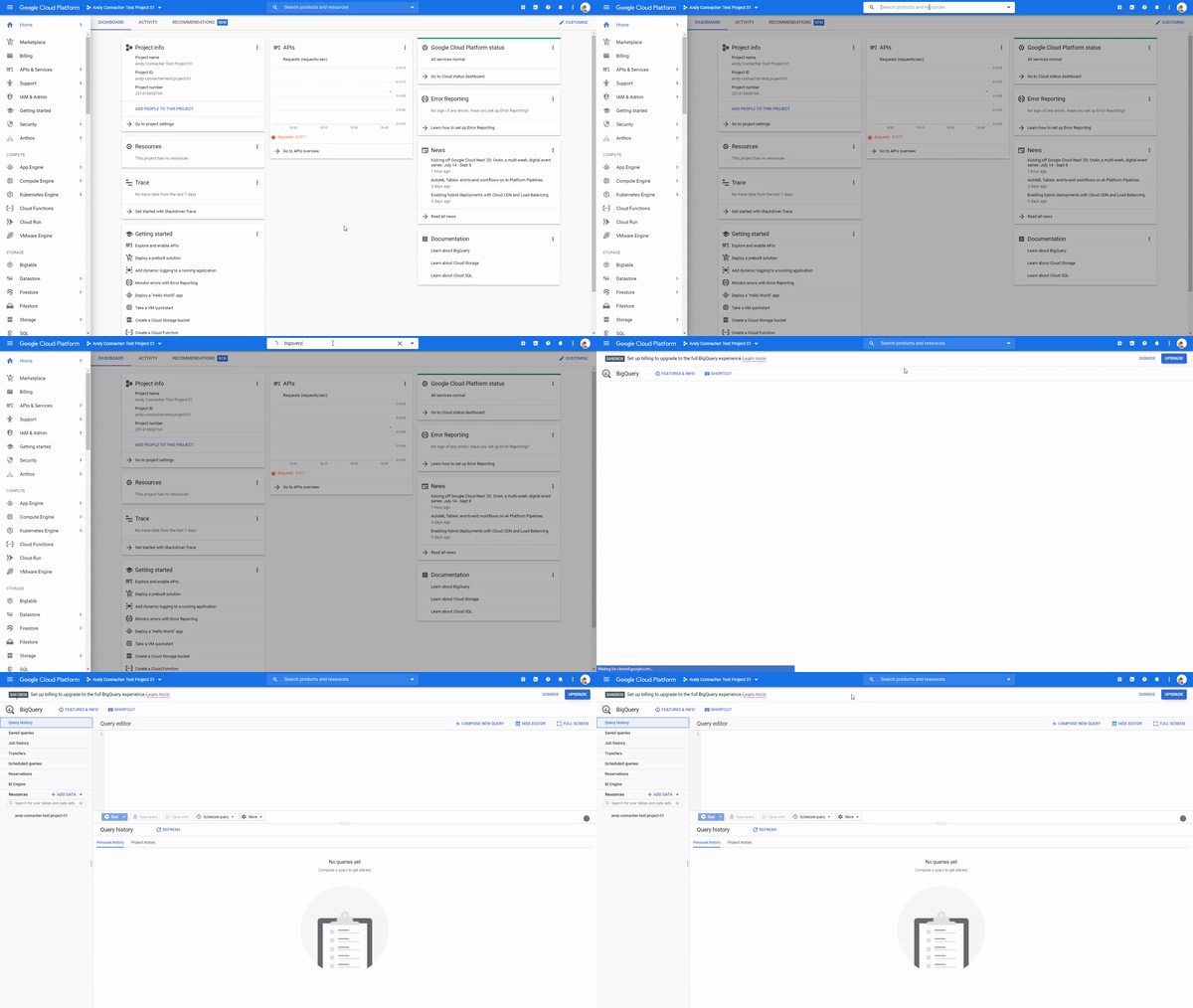
So, what does the BigQuery interface look like?
The interface is a one-stop shop to access and maintain your data warehouse as well as perform analysis, autoML and much much more.
How can I access BigQuery?
If you want to set up a new project follow this link to initially set up your console: https://console.cloud.google.com/
You will then need to enable the BigQuery API
Open up your GCP console link and expand the left-hand GCP menu and select the API & Sevices>Dashboard
Search BigQuery API and enable it. Once this is enabled you can then navigate to your shiny new project
And if you wish to practice your BigQuery SQL skills you have a monthly free allowance for 1Tb of code even better you actually get your first 10 GB of storage free each month. There are also some great public datasets available here link to test your knowledge.
If you have an app with Firebase or a website with GA4, BigQuery has built-in functionality that, once implemented, allows data to be automatically exported into tables for storage and querying... but more on that in a future blog!
At Measurelab we simply love BigQuery and to see how we can help your team leverage your data capability, please reach out to us at Hello@measurelab.co.uk.
Any comments, queries or feedback can be sent to lace@measurelab.co.uk
Need help with your data platform?
We build intelligence platforms on BigQuery, Dataform and Google Cloud - from setup to ongoing optimisation.