As mentioned in an episode of The Measure Pod, GA4 is a big change for those of us who are so used to Universal Analytics. It took me a while to wrap my head around the disappearance of Event Category, Action, Label and the adoption of Event Names and Parameters but then it occurred to me, the easiest way to think about this was to keep in mind the extra pickles. Bear with me, this will make sense.
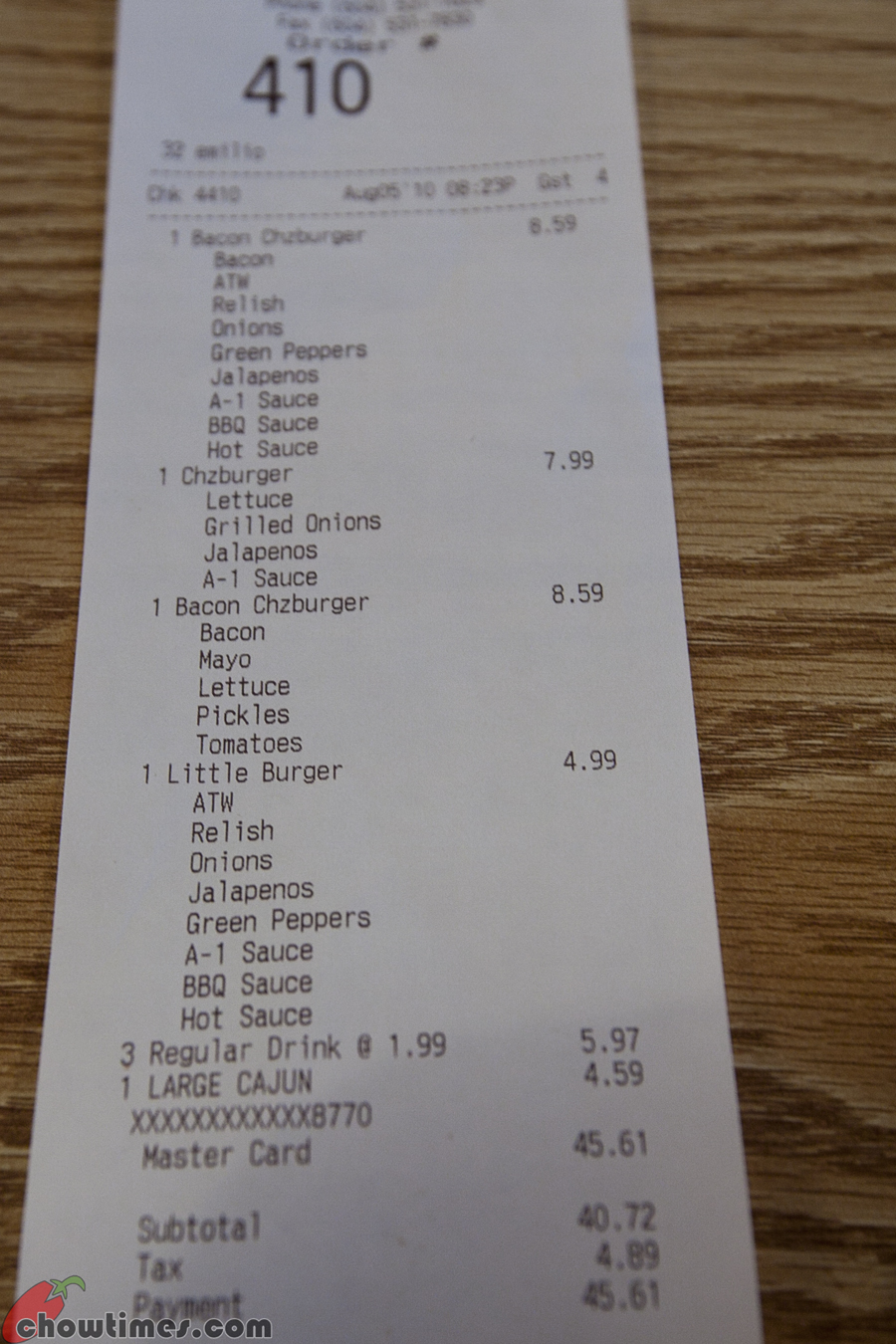
Whenever I fancy a burger, I go to Five Guys. The level of customisation is above any other chain or restaurant (and the food is so much better!). I always add extra cheese, extra bacon and extra pickles. I don’t know if you've ever really inspected a receipt from Five Guys, but they generally look something like this.
The main line items are ‘Hamburger’ or ‘Bacon Cheeseburger’ and then the additional information, such as extra cheese, extra bacon, mayo, lettuce and pickles all sit beneath. This is how I imagine GA4 events and parameters.
<script>window.dataLayer = window.dataLayer || []; dataLayer.push({ 'event': 'search', 'search_term': 'what’s the difference between pickles and gherkins', }); </script>
For example, you may have a ‘search’ event as a main line item. Underneath, you can add additional extras, or parameters, such as ‘search_term’.
Not every item needs ‘extra pickles’. I’ve found the ‘login’ event doesn’t really need any additional parameters. Sure, you can add ‘method’ as Google recommends but it’s not always useful/relevant.
This level of customisation is so different from Universal Analytics.
In Universal Analytics we’re restricted to using Event Category, Action and Label. So maintaining the Five Guys analogy, if our Event Category was ‘Burger’ our Event Action would be ‘Cheese’ or ‘Ham’ and we’d then use the Event Label to store customisation. We’d end up with an Event Label looking something like ‘Extra Bacon | Extra Cheese | Extra Pickles | Lettuce’ etc. With all the information concatenated into one string rather than their own parameters, it becomes a nightmare to analyse.
Hopefully at this point the extra pickles analogy makes sense and I’ve not just made you all really crave a Five Guys. Thinking of GA4 events and parameters like this may help you get your head around the new structure and appreciate the potential for customisation within GA4.