Sometimes you cannot use Google Tag Manager (GTM) to log additional events on your website for any number of reasons. For example, you might not use GTM in the first place, or you might not have access. Luckily, Google Analytics 4 (GA4) has a new feature that enables us to create new events off of the back of existing events, all from inside GA4 itself.
A good application I have recently used this new feature on is where I wanted to measure some form of content consumption on this blog. Reporting purely on total page views and engagement time doesn’t always tell me enough. I have no idea if the browser tab is even visible in the user's browser or even if the content was read, just that the blog page was loaded.
Within the automatically collected Enhanced Measurement events, one of them is called ‘scroll’ which tracks scroll depth at 90% on all pages. The issue with this however is that it fires on all pages. If I want to measure this as a conversion, I need this to only fire on the pages I want it to – blog pages in my example.
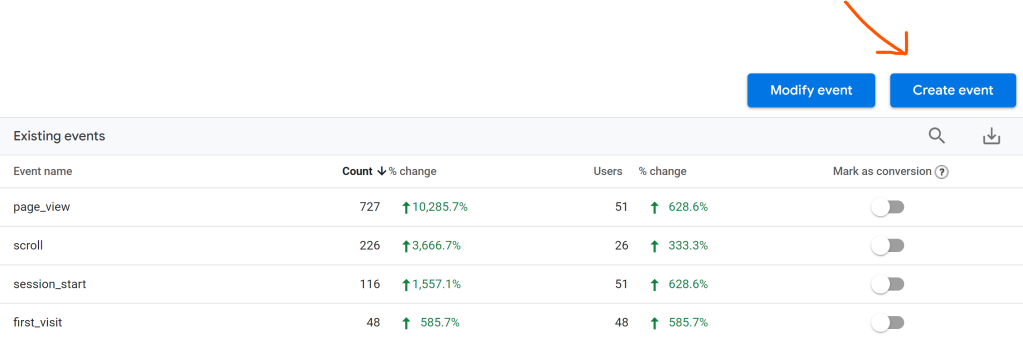
Luckily (again) GA4 has a feature we can use that allows us to create an event from existing events. There are two ways to get to the event creation screen, one is to go Configure > Events > Create event:
And the other is to go Admin > Data Streams > (select a Data Stream) > More Tagging Settings > Create events:
Either way, you get to a screen where you can add new rules. Click Create and the config panel pops out:
So what I needed to do is look for the ‘scroll’ event and make a copy of that when it’s seen on a blog page. I’ll call this event ‘blog_scroll’, and look for a pattern in the page_location parameter. For my WordPress website, I went for page_location contains (ignore case) “/2022/”.
It’s not very future-proofed, I know. I hope they roll out regex support soon so that I can use something like ".*\/202[0-9]\/.*" or similar.
After you click save, you should see it come through the real time reports after a few minutes, and then into the standard events reports the following day:
I marked this event as a conversion, so that I can see the attribution data in the Advertising workspace, and I could optimise any Google Ads campaigns or Google Optimize AB tests to it.
So there you have it, this is how you can set up a new event in GA4 without needing to use GTM or any custom code deployed to the site. You can use this method to create any event – not just for blog page scrolls like I have done in this example. You just need an existing event that you can use to trigger your new one.