Clearing 2026: why UK universities need recruitment intelligence
UK universities face a deficit crisis. Student Recruitment Intelligence can transform Clearing from chaos to precision.
Steven Elliott•6 Feb 2026

This announcement has us rather excited at Measurelab. It has been a long time coming and represents the beginning of a completely new shift in how we use and think about digital measurement with Google Analytics.
What we are effectively looking at here is a move away from Google Analytics as we know it, which inherited its underlying data collection schema and methods from Urchin Analytics; the analytics software product Google bought and subsumed way back in 2005. While Urchin was officially discontinued in 2012, the "web page" paradigms upon which the analytics product was founded continued through the present day product of Google Analytics. Page views are increasingly becoming less relevant as technologies such as Reactjs and Nodejs allow for User Interfaces to be uniquely displayed for any given experience, as a collection of micro-moments. Measuring interactions using a clunky combination of page view hits and event hits (with an attached 3-tier nested taxonomy of Category / Action / Label) has been becoming increasingly cumbersome and unwieldy.
Enter stage left, the next generation of measurement paradigm - events. Yup - that's all we need. Just events. This isn't anything new in the world of analytics; tools like segment, mixpanel, heap, in fact pretty much all the modern analytics tools I can think of have always been measuring using an event based schema. But for Google Analytics, this is quite a shift.
As it stands, this isn't going to replace the features you see in your current Google Analytics web property for some time (we estimate 12-24 months). This is very much in beta and is only being recommended to be implemented as a dual-tag (i.e. alongside your existing implementation). If you have a website and an app, with a login (i.e. a User-ID) on both, then the beta launch can immediately glean you insights for cross-device usage, with the "Web + App" data stream. But I wouldn't rush out to immediately replace any of your GA tags for your website quite yet.
From GA4 implementation to server-side tagging and consent management — we'll make sure your data is accurate and complete.
If you have a mobile app, running Google Analytics for Firebase, then you will find that you already have implemented the underlying tech that will become just Google Analytics. That means that the limits and methods of working you may have become familiar with when using "Google Analytics for Firebase" will become the basis for how you use the new Google Analytics product. And we are particularly interested to see how the ability to export raw data from Firebase Analytics to Google BigQuery will play out for this new version of Google Analytics.
At present, just as with Google Analytics for Firebase, there are no hit limits (but you are limited to 50 parameters) and there's no sampling in the reporting interface. The concept of a session/visit currently does not exist in these reports; good-bye conversion rates!(?)
In the reporting UI, an "Analysis" tool is included - something that was only available before in GA360. This opens up exciting possibilities for data exploration, dynamic funnel reporting and path analysis.
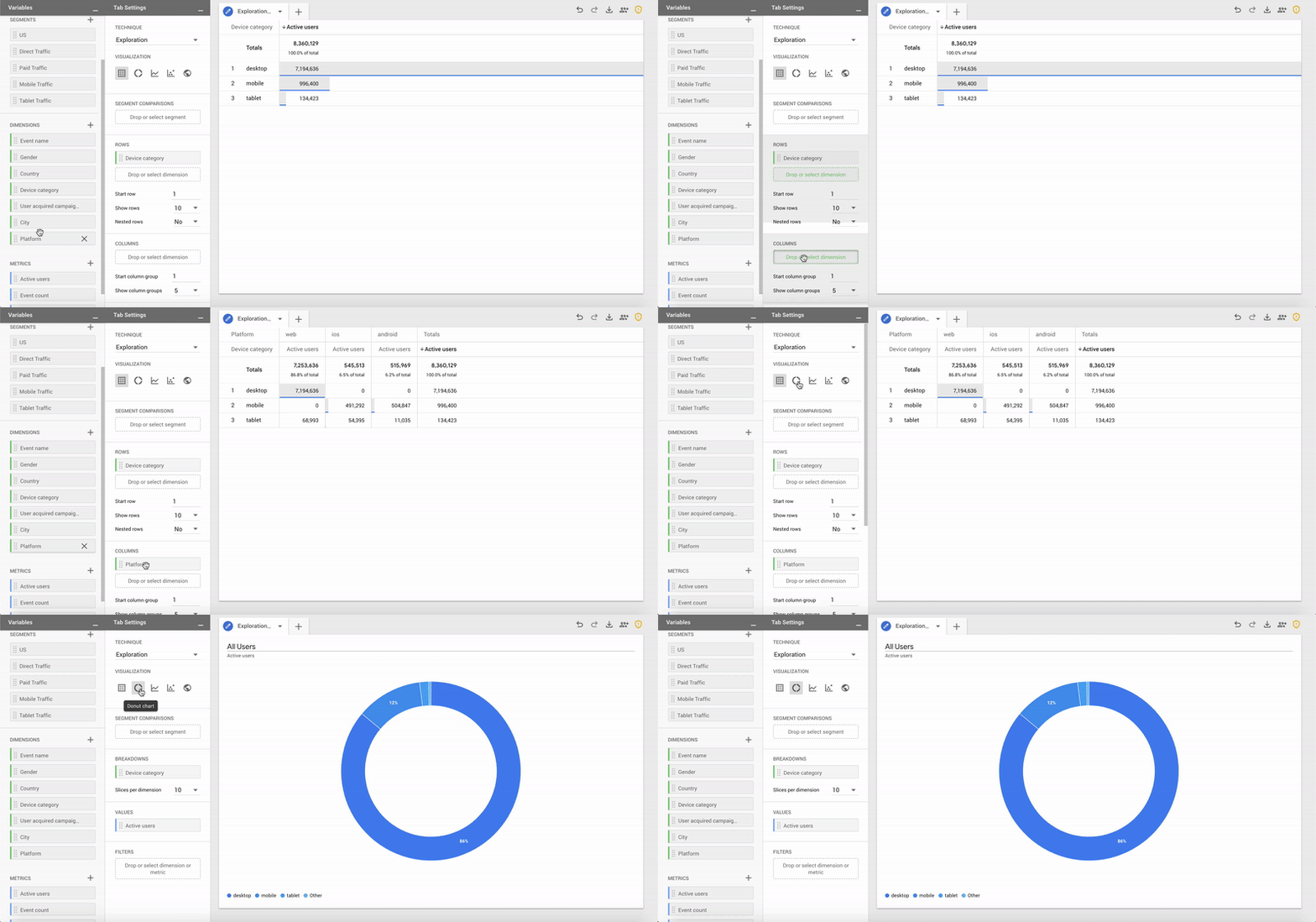
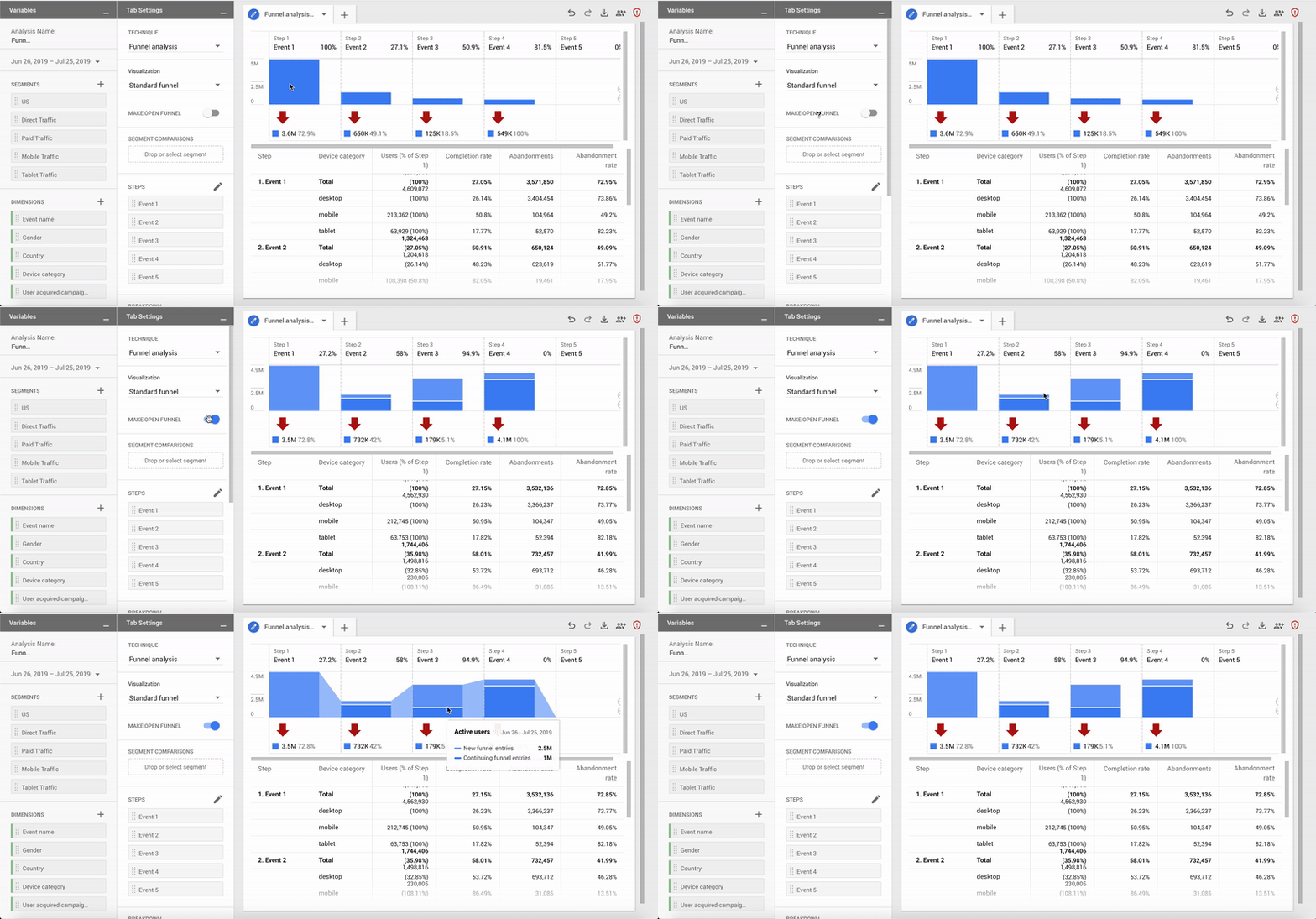
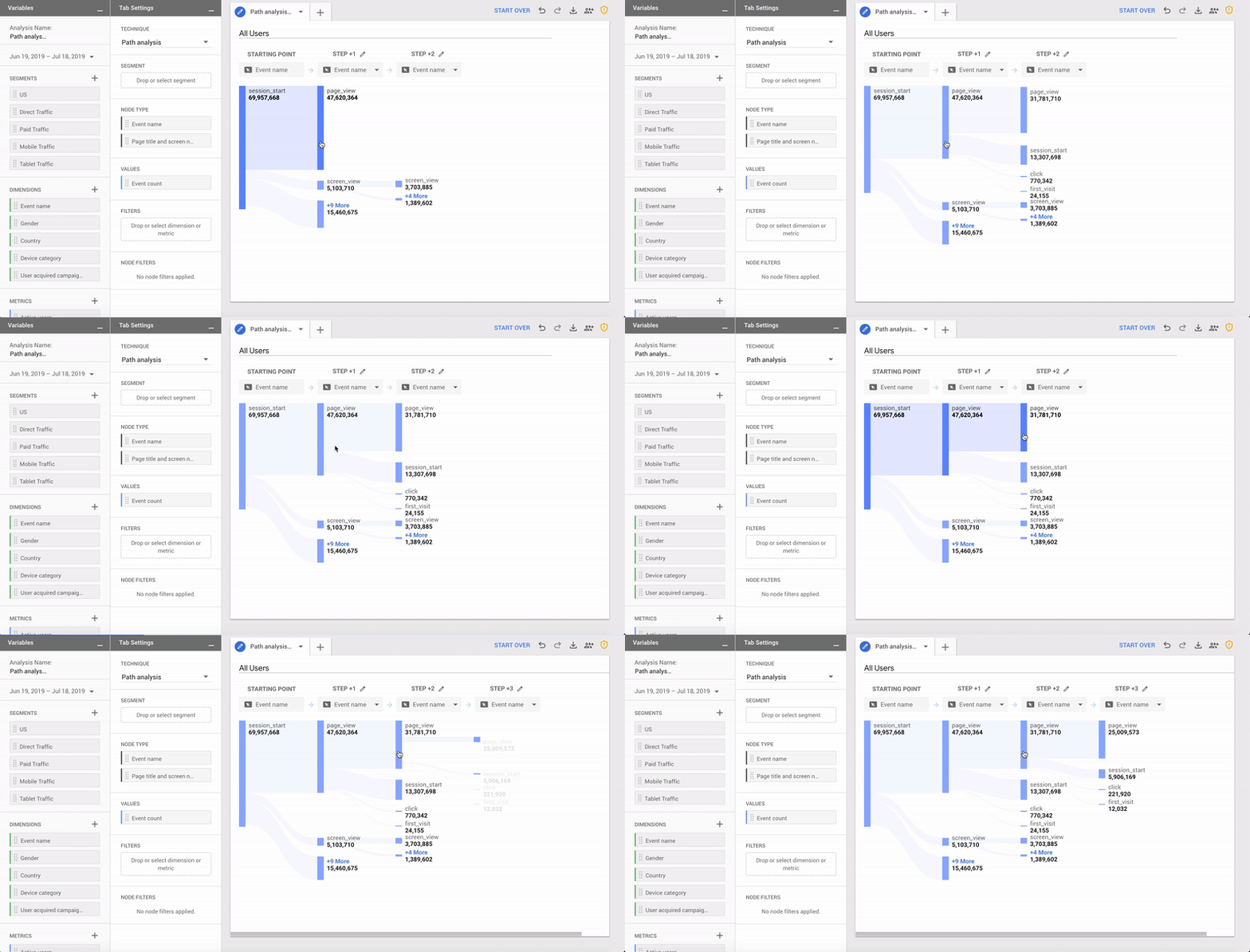
Regarding the implementation, everything hinges off the dataLayer - whether that be created by gtag.js or Google Tag Manager. This means that automated event tracking (for events such as scroll depth, video, outbound clicks) becomes a reality:

Right now, things are very much in beta and the main reason you would implement this new method is to benefit from the "Web + app" cross platform measurement. Other reporting and analysis features are set to roll-out - particularly for Web, so watch this space!
From GA4 implementation to server-side tagging and consent management — we'll make sure your data is accurate and complete.
Our instant analytics audit scans your GA4 configuration and flags what's missing, broken or misconfigured.
UK universities face a deficit crisis. Student Recruitment Intelligence can transform Clearing from chaos to precision.
AI expert Daniel Hulme, founder of Satalia, shares his journey from UCL PhD to entrepreneur, discussing AI, consciousness & deep tech.
Dara and Matthew chat with Juliana Jackson on her journey, product mindset, and how AI is shaping modern analytics.