The derelict data warehouse, revisited: why this problem just became existential
AI doesn't fix bad data; it scales it. In 2026, a derelict data warehouse isn't just a nuisance, it’s an existential risk.
Matthew Hooson•10 Mar 2026

Consent Mode is a feature that helps manage what tracking occurs when consent is and is not granted from the user. This feature applies for websites via Google’s global site tag (gatg.js) and Google Tag Manager (GTM), and for apps via the Firebase SDK.
There are five default types of consent (you can add your own on top as well) that can be managed in Consent Mode:
| Consent Type | Description |
|---|---|
| ad_storage | Enables storage (such as cookies) related to advertising |
| analytics_storage | Enables storage (such as cookies) related to analytics e.g. visit duration |
| functionality_storage | Enables storage that supports the functionality of the website or app e.g. language settings |
| personalization_storage | Enables storage related to personalization e.g. video recommendations |
| security_storage | Enables storage related to security such as authentication functionality, fraud prevention, and other user protection |
Consent Mode is not a consent management platform (CMP). That is, it doesn’t collect user consent on a website or app. Consent Mode is only the process of managing tracking based on the collected consent levels. You will need to implement a CMP to do the actual consent collection.
GTM has some out-of-the-box CMP integrations via templates that can be used with relative ease. However, you do not need to use one of these to use Consent Mode effectively. For example, the Measurelab website www.measurelab.co.uk uses CIVIC’s Cookie Control which is not on the list and it works absolutely fine with Consent Mode.
Generally speaking, each tracking tag will have some sort of consent dependency. For example, you will need ad_storage to be true to be able to fire the Facebook Pixel. However, Consent Mode works slightly differently when it comes to the Google tags (Google Analytics, Google Ads, Floodlights).
For Google Analytics 4 (GA4), it will actually track all the events with or without consent. There are a few variations of consent as GA4 utilises both the analytics_storage (for the core tracking) and ad_storage (for Google Signals) consent. Depending on what the user consents to, depends on what is collected in GA4. The below table details what happens in each situation:
| analytics_storage | ad_storage | GA4 tracking |
|---|---|---|
| true | true | The 1P _ga cookie is set and read. All events are tracked including a Client ID and Session ID. Google Signals data is collected. |
| true | false | The 1P _ga cookie is set and read. All events are tracked including a Client ID and Session ID. Google Signals data is not collected. |
| false | true | The 1P _ga cookie is not set or read. All events are tracked without a Client ID or Session ID. Google Signals data is collected. |
| false | false | The 1P _ga cookie is not set or read. All events are tracked without a Client ID or Session ID. Google Signals data is not collected. |
The reason GA4 still tracks all events even without consent (called 'cookieless pings') is so that it can use machine learning models to estimate the number of unconsented users, sessions, etc. in the data. This process is called behavioural modelling for Consent Mode and is available for all GA4 properties now.
Assuming you have met the prerequisites in data volume, then you will be able to use the ‘Blended’ reporting identity in GA4, which is set under Admin > Reporting Identity.
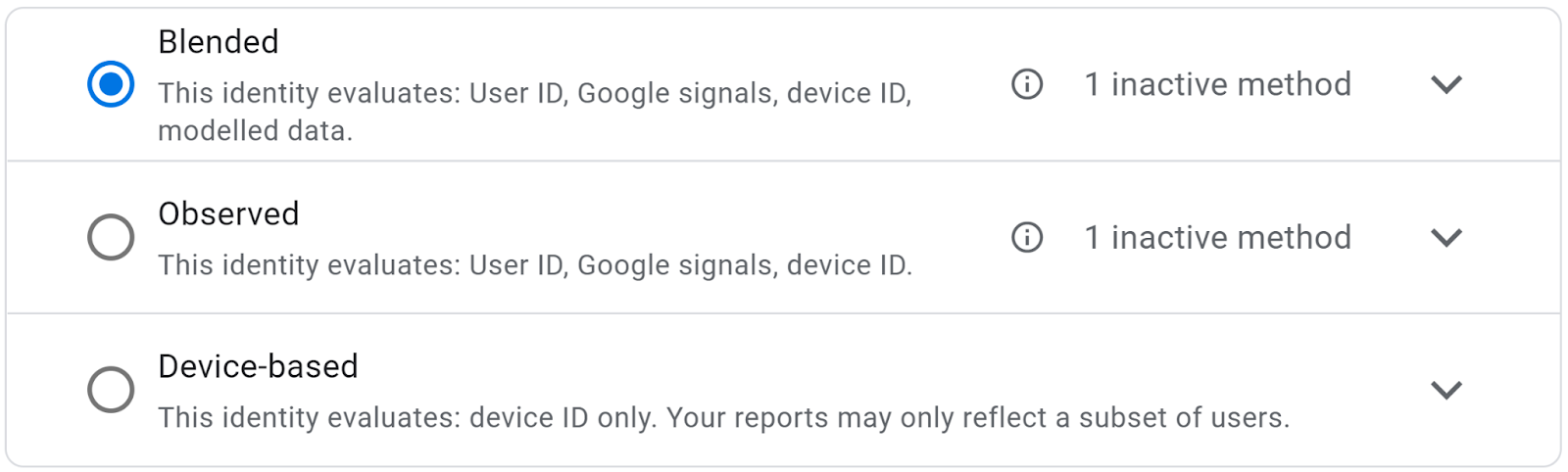
You will then see the modelled data in all available reports when using GA4. You can see if any specific report is using modelled data by clicking on the report status icon:
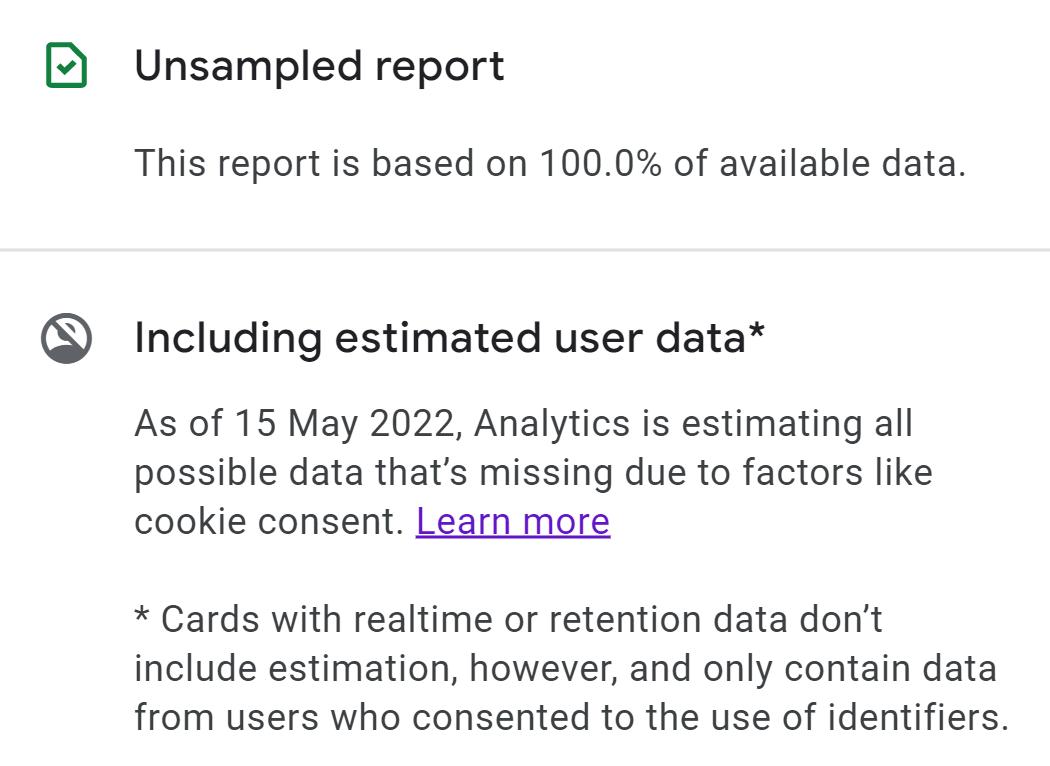
Some companies might not agree with Google’s cookieless pings and want to prevent them from happening altogether. In a sense, make sure that no consent means no track of any sort.
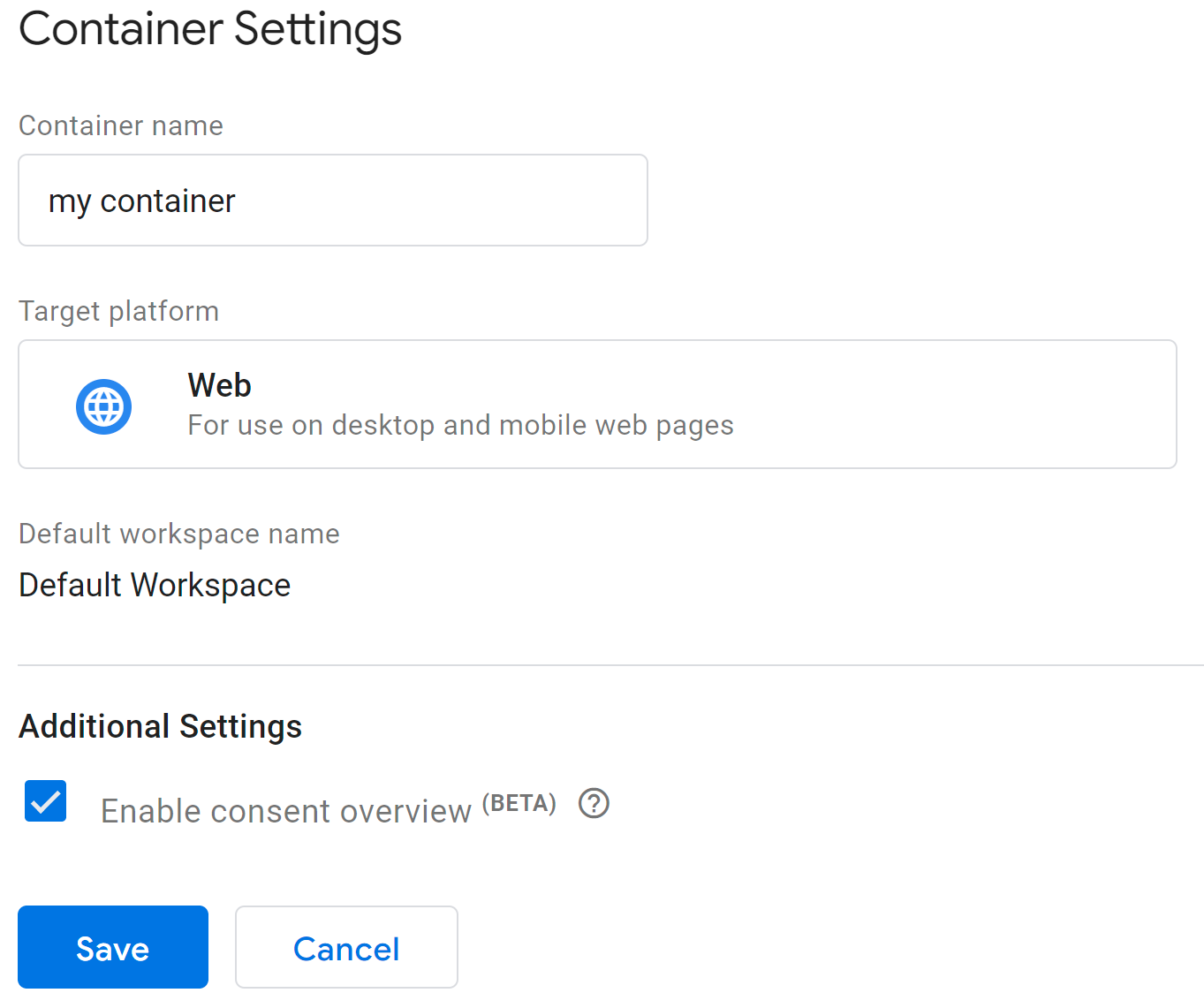
In GTM this is relatively simple to do. First you may have to enable the consent overview in Admin > Container Settings > Additional Settings:
Then you should see a new ‘Consent Settings (BETA)’ section under the ‘Advanced Settings’ in any tag configuration.
In there, for the GA4 tags you have, you can select ‘Require additional consent for tag to fire’ and specify the consent type you want to ensure you have. For GA4, this is most likely to be the analytics_storage consent.
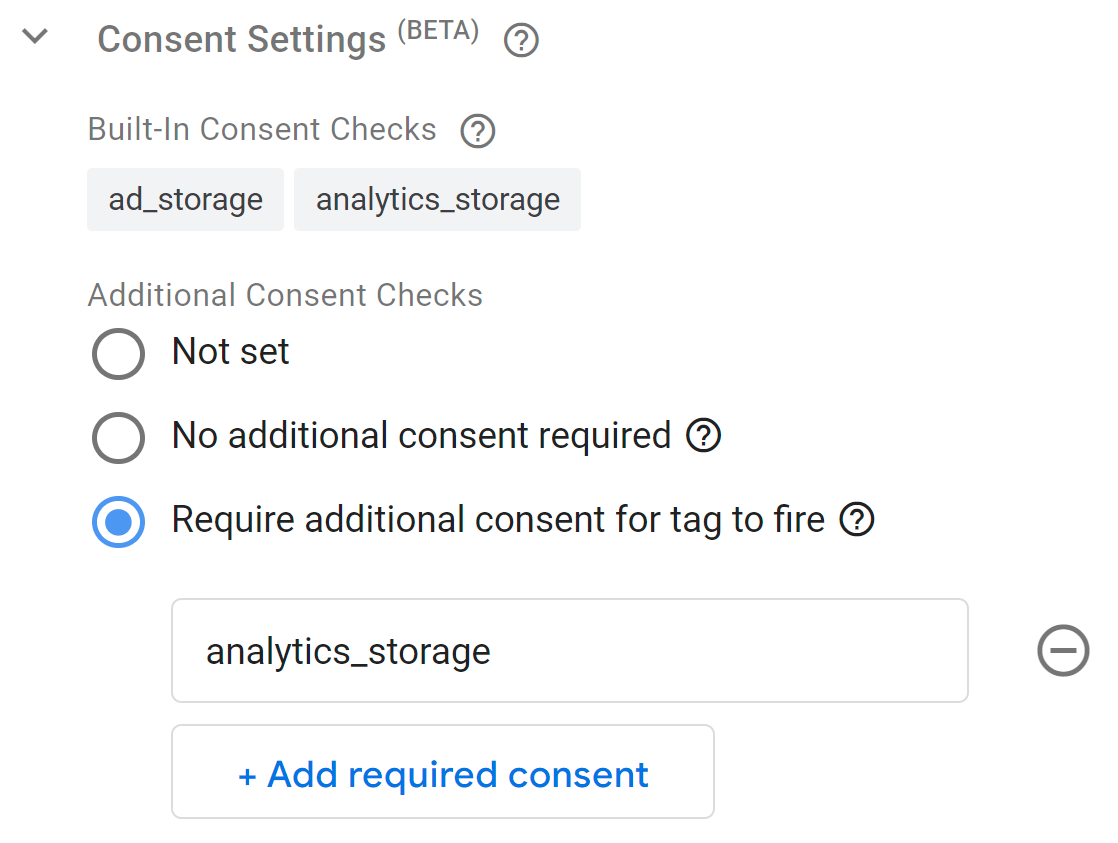
Once saved and published, all the GA4 tags will now behave the same as the non-Google tags in that nothing will be tracked until you have the user’s consent.
Note: By doing this, you will never be able to use the behavioural modelling in GA4!
No, but it will save you all the time and effort of manually triggering tracking based on consent statuses from your CMP.
In GTM, you can manage variables and triggers for each consent type by creating trigger groups to include consent and dynamically fire each tag. However, Consent Mode makes all of this much easier, and you can manage, change and update consent requirement in bulk without the need of trigger groups!
If you are using a CMP (and who isn’t nowadays), then Consent Mode is a valuable tool and asset to making sure it is ‘plumbed in’ effectively to all your marketing and analytics tracking and data collection.
AI doesn't fix bad data; it scales it. In 2026, a derelict data warehouse isn't just a nuisance, it’s an existential risk.
AI's revolution is already here. We're too busy debating its future to harness the transformational power of today's models.
NL-SQL tools can transform how you query data - but only if your foundations are solid. Here's an honest look at what works and what doesn't.