#133 The role of AI in analytics (with Juliana Jackson at Jellyfish)
Dara and Matthew chat with Juliana Jackson on her journey, product mindset, and how AI is shaping modern analytics.
Will Hayes•13 Nov 2025
Tag Containers are great. In a former life I was developer and I can really appreciate how much help they can be to people wanting to just add a "bit of code" to a website. But, as said former developer, I can also appreciate what a potential disaster it is to give the marketing guys the ability to add code to a website - outside of your carefully considered source control mechanisms and deployment routines. So - the recent announcement (there's quite a few on that link) from the team at Google Analytics concerning auto-event tracking (also see this summary post) in Google Tag Manager was a welcome one then. It promises to reduce the reliance on coding within Google Tag Manager - particularly if you are adding tags that require event binding / listeners that many would have used jQuery to implement. It's not perfect - but, as we should all know by now, Google Tag Manager is a work in progress. Particularly, I would like to see a more visual DOM element selector (nod to Satellite's "Rover", now Adobe's Dynamic Tag Management) and continual onsite error checking (nod to BrightTag). But - it really is getting there.
Well - we have a big button on our site that was using jQuery to send click events into Google Analytics:

The jQuery that binds the required event listeners to clicks on this were coded directly into Google Tag Manager looked like this:
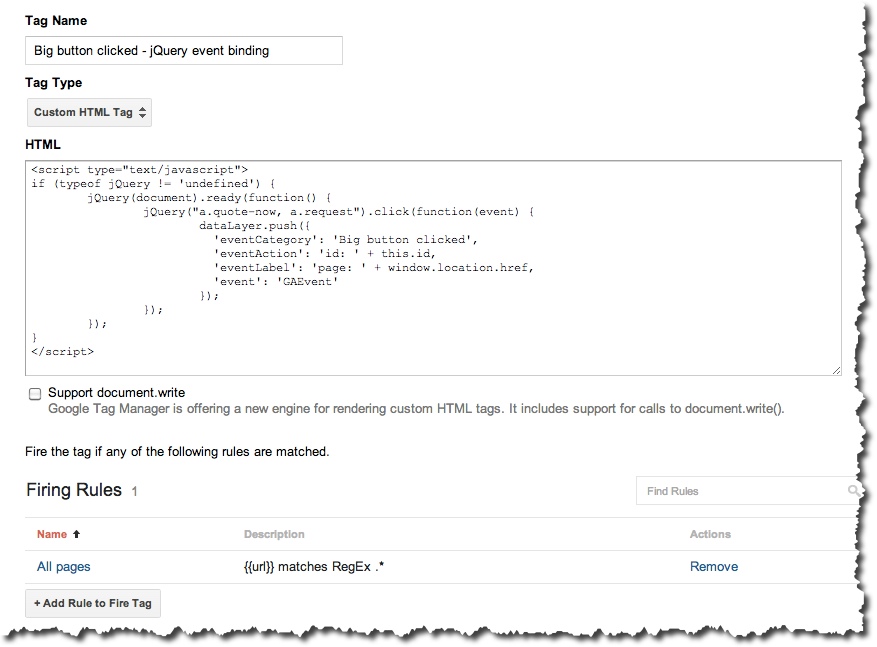
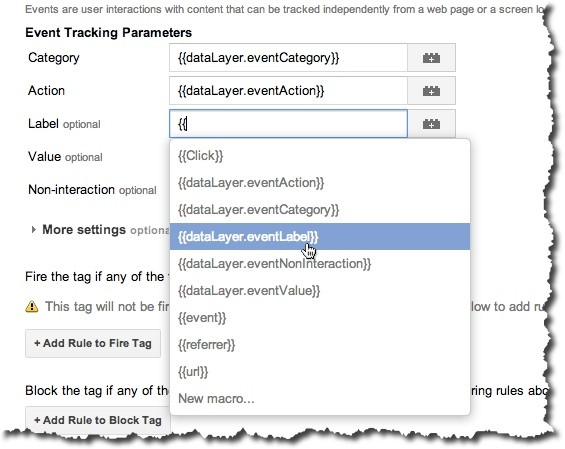
As you can see - this is pushing name / value pairs into the dataLayer JSON object - which in turn is monitored rules that trigger Google Analytics Event Tracking code, using macros to extract the required parameters:
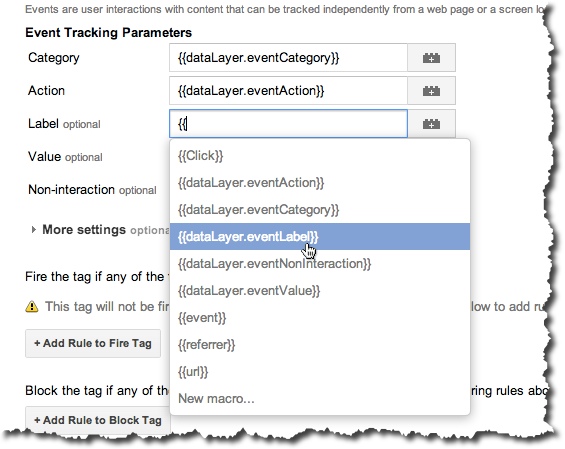
How you have set things up will be different to the above, of course. But hopefully you can see that there's already a level of abstraction going on with the use of the dataLayer JSON object acting as our controller - and that the anomaly in the set up is the existence of the jQuery to do the event binding in the first place.
The presence of javascript code here disturbs me - as it sits outside of any of our procedures used for quality control. Especially as all we are looking to do is bind an event listener to a click event! Enter Auto Event Listeners… how do we do it?
The first step then is to create a tag that starts to listen for all types of clicks, when fired. Given we want to listen for all potential clicks on all elements on all our pages - we select “click listener” as the Tag Type and simply set it to fire on all pages:
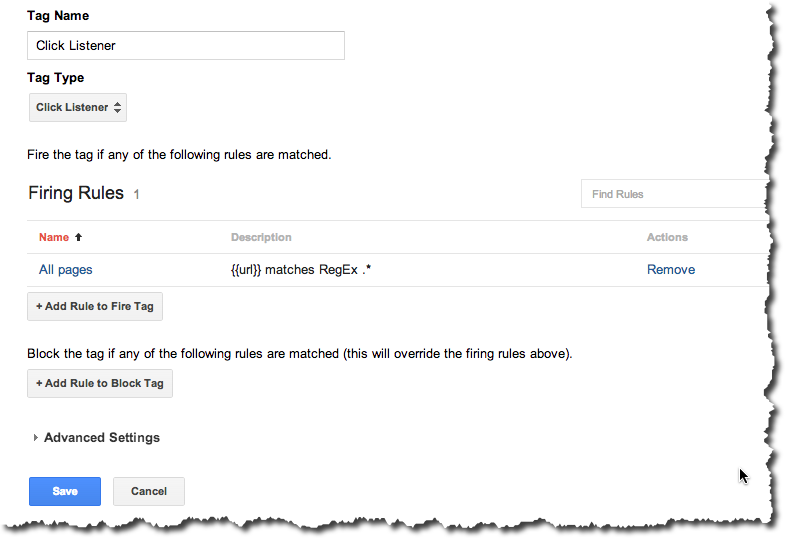
NB - the element we want to be tracking clicks on is a button, without a true link or URL.
To correspond with the jQuery, we need to create rules that match against the conditions required. In our case we are matching on the when there is a “click” event pushed to the dataLayer AND when the class of the element clicked contains “quote-now”. So that would be {{event}} equals gtm.click AND where {{element classes}} contains quote-now. To make this a bit more complicated for this post, we’ve actually re-named the macros to identify them more easily in GTM:
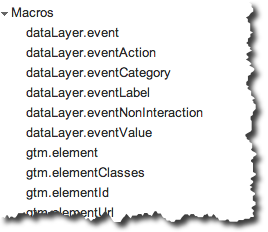
But hopefully you get the point!

Finally we want to add replace our event tracking. So that instead of pushing to the dataLayer on click, as we did in jQuery - we can use the event tracking tag directly:


Bish bash bosh...
Any questions?
From GA4 implementation to server-side tagging and consent management — we'll make sure your data is accurate and complete.
Our instant analytics audit scans your GA4 configuration and flags what's missing, broken or misconfigured.
Dara and Matthew chat with Juliana Jackson on her journey, product mindset, and how AI is shaping modern analytics.
Yali Sassoon joins The Measure Pod to discuss Snowplow’s growth, AI innovation, data challenges, and the future of user experience.
Johan van de Werken joins The Measure Pod to discuss GA4Dataform, BigQuery, and the future of analytics engineering and automation.