Your analytics stack is dying. Here's what's going to replace it
The monolithic martech stack is collapsing. An open source, warehouse-first intelligence platform is cheaper, more honest, and actually yours.
Steven Elliott•10 Mar 2026

Setting up a Dataform repository can be challenging without the right steps. Whether you’re new to Dataform or want to optimise your workflow, this guide will show you how to seamlessly connect it with GitHub and Google Cloud (GC).
Dataform is a powerful tool for managing version-controlled SQL workflows in a collaborative way. GC incorporates BigQuery and GitHub integration, providing an efficient way to organise and maintain complex data pipelines. Let’s break down the setup process.
Anybody who will be using dataform will need the following granted in Google Cloud IAM permissions:
One of the main benefits of using Dataform is the version control via GitHub integration. To leverage this, you need to connect Dataform to a GitHub repository. Here’s how you can do that:
You can set up a GitHub repository within your organisation and then generate a fine-grained access token for it.
Alternatively, you can create a new GitHub repository and set up the necessary access tokens in the first instance. Once the project is complete, you can transfer ownership.
Create a new repository on GitHub within your organisation. Make a note of the repository URL for later use.
To securely connect Dataform to GitHub, generate a fine-grained access token in GitHub:
dataform_github_token), and paste the GitHub token into the secret value field.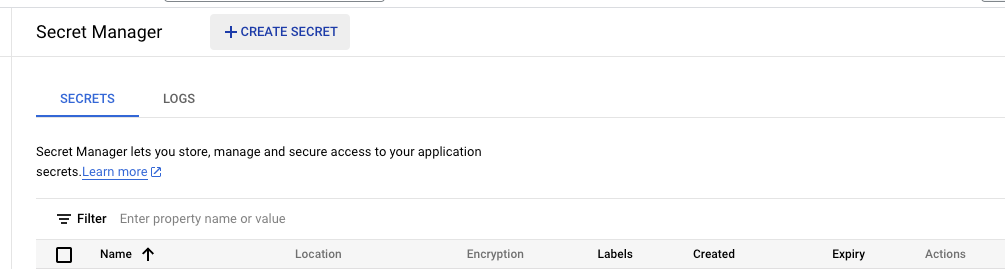
Note- make sure you are creating the repository in the region that your tables are in otherwise you will run into issues with incompatible region errors
master or main), and the secret you just created in Secret Manager. Click Link.
Now that the repository is connected, set up a Development Workspace. Each workspace corresponds to a Git branch. For collaborative teams, using individual names for workspace IDs is a common practice. After creating your workspace, click Pull from Main Branch to get the latest version of the code.
Setting up Dataform with GitHub integration streamlines your workflow by allowing efficient version control and collaboration. By ensuring the correct permissions and configurations, you can confidently manage data workflows, deploy scripts, and build out infrastructure smoothly.
This guide should help you navigate the process of setting up Dataform, whether you’re new to the tool or simply looking to refine your version-controlled SQL workflows. Happy coding!
The monolithic martech stack is collapsing. An open source, warehouse-first intelligence platform is cheaper, more honest, and actually yours.
UK universities face a deficit crisis. Student Recruitment Intelligence can transform Clearing from chaos to precision.
NL-SQL tools can transform how you query data - but only if your foundations are solid. Here's an honest look at what works and what doesn't.