There are many famous acronyms designed to help people follow a recommended procedure. For example, ‘DR ABC’ is commonly used by first responders to help them triage and treat patients. Now we’re definitely not suggesting our new PIVOT acronym will save lives, but it could save you time (and probably a few headaches!) when migrating to Google Analytics 4 (GA4).
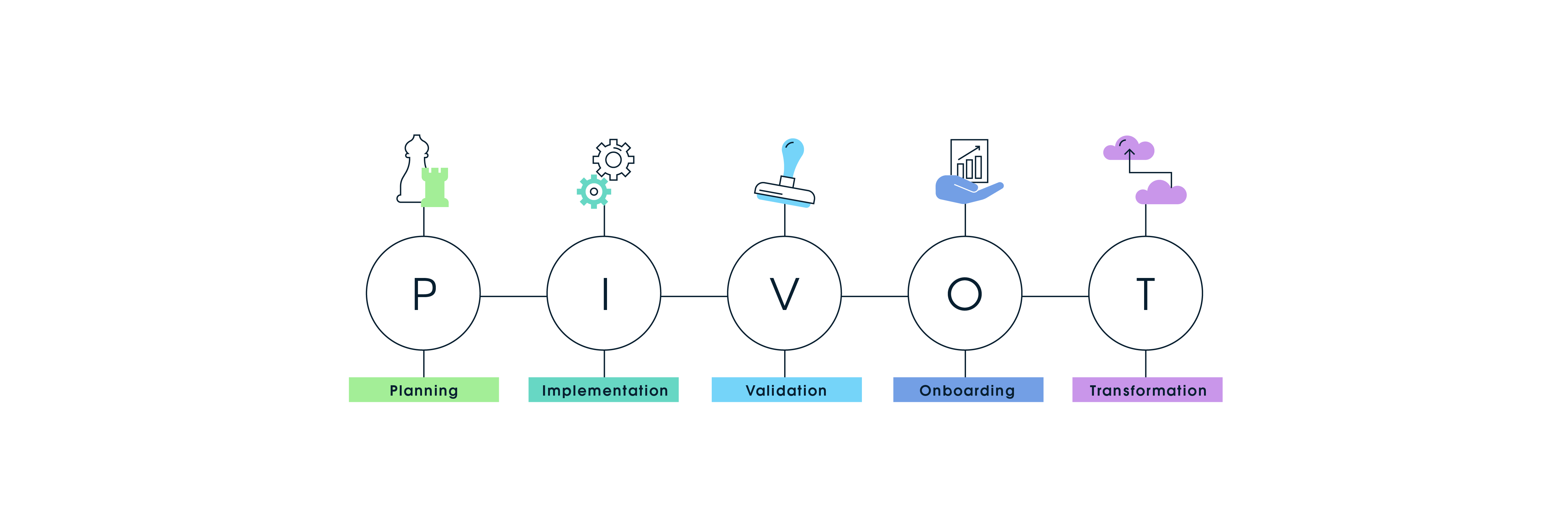
PIVOT. Plan, Implement, Validate, Onboard, Transform. It sounds simple, maybe even a bit obvious. We prefer the term ‘delightfully intuitive’. It’s helping us and our clients understand what phase of a GA4 migration they’re currently in and what they need to do to progress smoothly to the next.
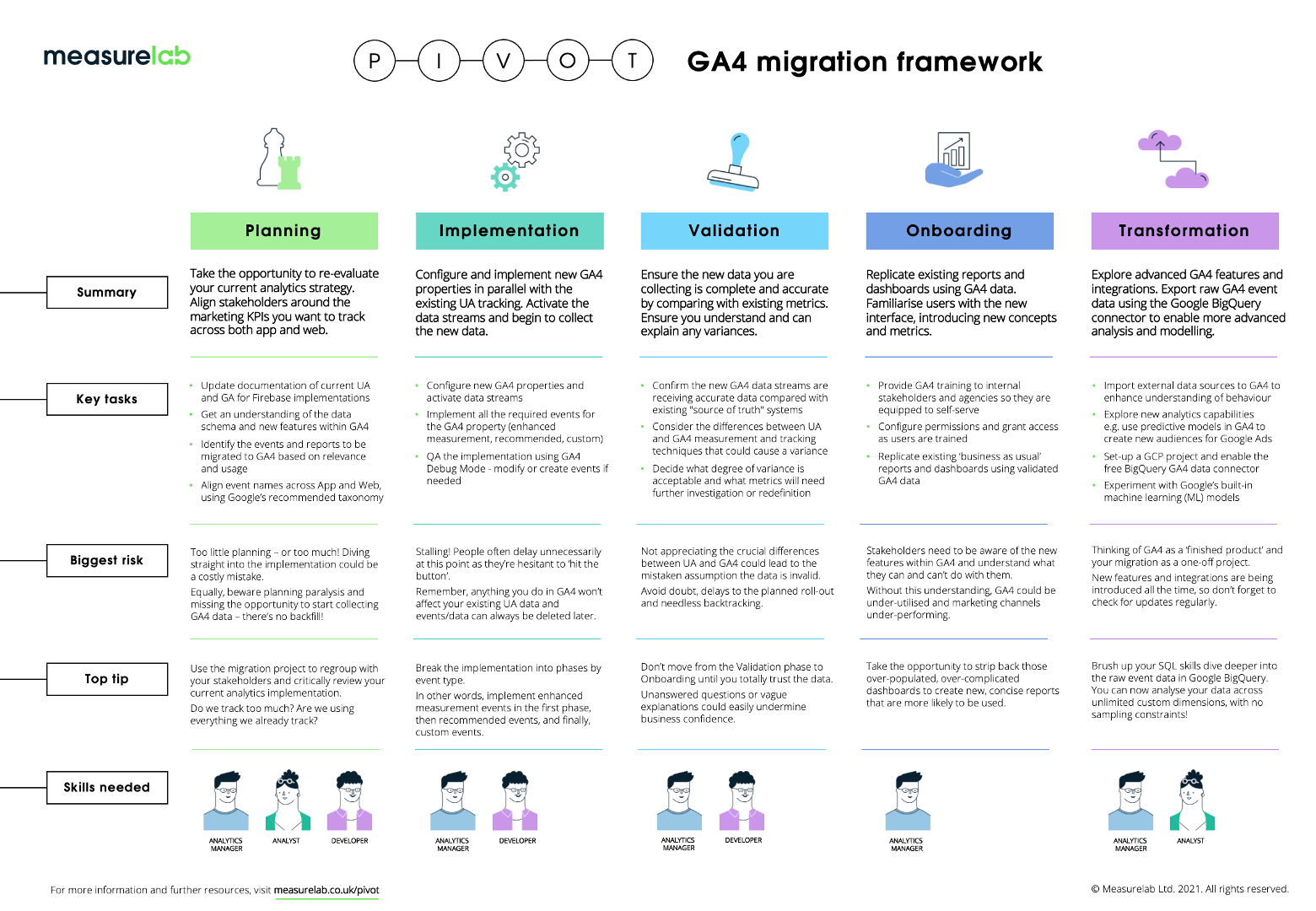
You can download a PDF of the PIVOT migration framework featuring a summary of the key tasks, our top tips and potential pitfalls. We've also summarised each stage in the process in this blog - just scroll down the page 👇
Measurelab's PIVOT GA4 migration framework
Planning
Failing to plan is planning to fail, right? Will your aim simply be to replicate your current UA set-up, recreating existing events within the new GA4 taxonomy? Or will you seize the opportunity to define an entirely new analytics strategy? Is this the time to finally bring web and app analytics together? Don’t miss the opportunity presented by a blank canvas, but beware of planning paralysis and an unnecessary delay to beginning dual tracking.
Implementation
With a clear, comprehensive plan, implementation can be swift and painless. New GA4 properties and data streams can be set up, with the enhanced measurement events, recommended events and custom events implemented in turn. Perhaps you’ll take the opportunity to spring clean those containers. Where it gets messy is when you start making decisions on the fly or expanding the scope as you begin to discover what’s actually possible.
Validation
The data is streaming. The moment of truth. Are your UA and GA4 properties returning consistent counts and matching metrics? Or is there a disparity you need to explore and explain? One thing’s for certain: you’ll want to have complete confidence in the data before exposing it to scrutiny - or using it as the basis for optimising investments.
Onboarding
It’s time to extend access and roll out the new reports and dashboards. Training may be required to familiarise users with the new schema, interface and capabilities - as well as explaining what’s missing, “Where’s the bounce rate gone?!” Your UA reports may need to be maintained for some time before GA4 becomes your sole ‘system of record’.
Even now, GA4 is evolving and advancing, so it’s worth considering how you can go about providing regular updates, and how you’re going to collate and prioritise the new requests that will undoubtedly come your way.
Transformation
This is where it gets interesting. The free built-in connector to Google BigQuery data warehouse opens up a number of new possibilities. For starters, you’re able to overcome the limitations of sampling in Google Analytics and analyse across an unlimited number of custom dimensions. It becomes truly transformative when you combine your web and app analytics data with campaign data, CRM and ERP data, and other data sets and make the leap from descriptive to predictive analytics.
Where are you on your GA4 journey? Whether you’re pondering the P, vacillating with the V, or tempted by the T, we can probably help you PIVOT. Get in touch to chat about your requirements.
Need help with your data platform?
We build intelligence platforms on BigQuery, Dataform and Google Cloud - from setup to ongoing optimisation.