You can't buy data strength. You build it.
Google made data strength central at GML 2026 and now measures it in Google Ads. But it is not a setting you switch on. Here is what actually builds it.
Mark Rochefort21 Jun 2026
Blog
George Mendham10 August 20223 min read

A recent problem was posted in Measure Slack asking if it were possible to completely delete events from Google Analytics 4 (GA4). The good news is that while it isn’t immediately obvious, it is completely possible. Well, of sorts!
Within GA4 there is a feature called Data Deletion Requests (Admin > (Property) > Data Deletion Requests) in which are different ‘Deletion types’ that a user can now take advantage of. This means we can now be quite granular about what we do/don’t want to delete. This is a much welcome relief from the somewhat devastating data deletion feature that existed in Universal Analytics. The 5 deletion types are:
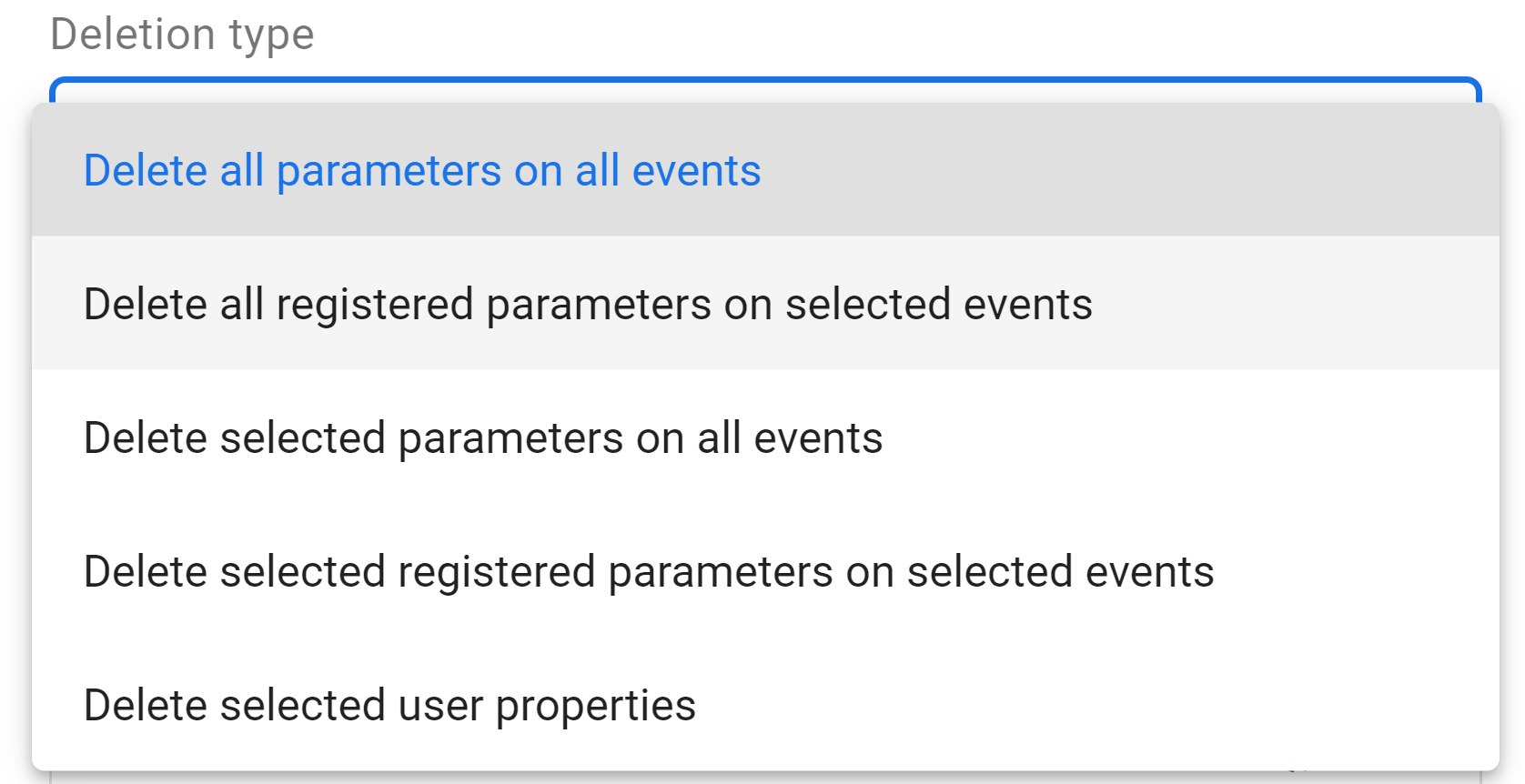
From the above list it isn’t immediately obvious which deletion type you would need to use if you wanted to delete an event and all the associated parameters from your property. After some testing we found that you actually need to do this in two steps.
We first need to delete all of the parameters for the event(s) we want to delete. We can do by running a data deletion request and choosing the 'Delete all registered parameters on selected events'. After choosing your event that you want to delete, and the selected time frame, you then need to schedule this data deletion request.
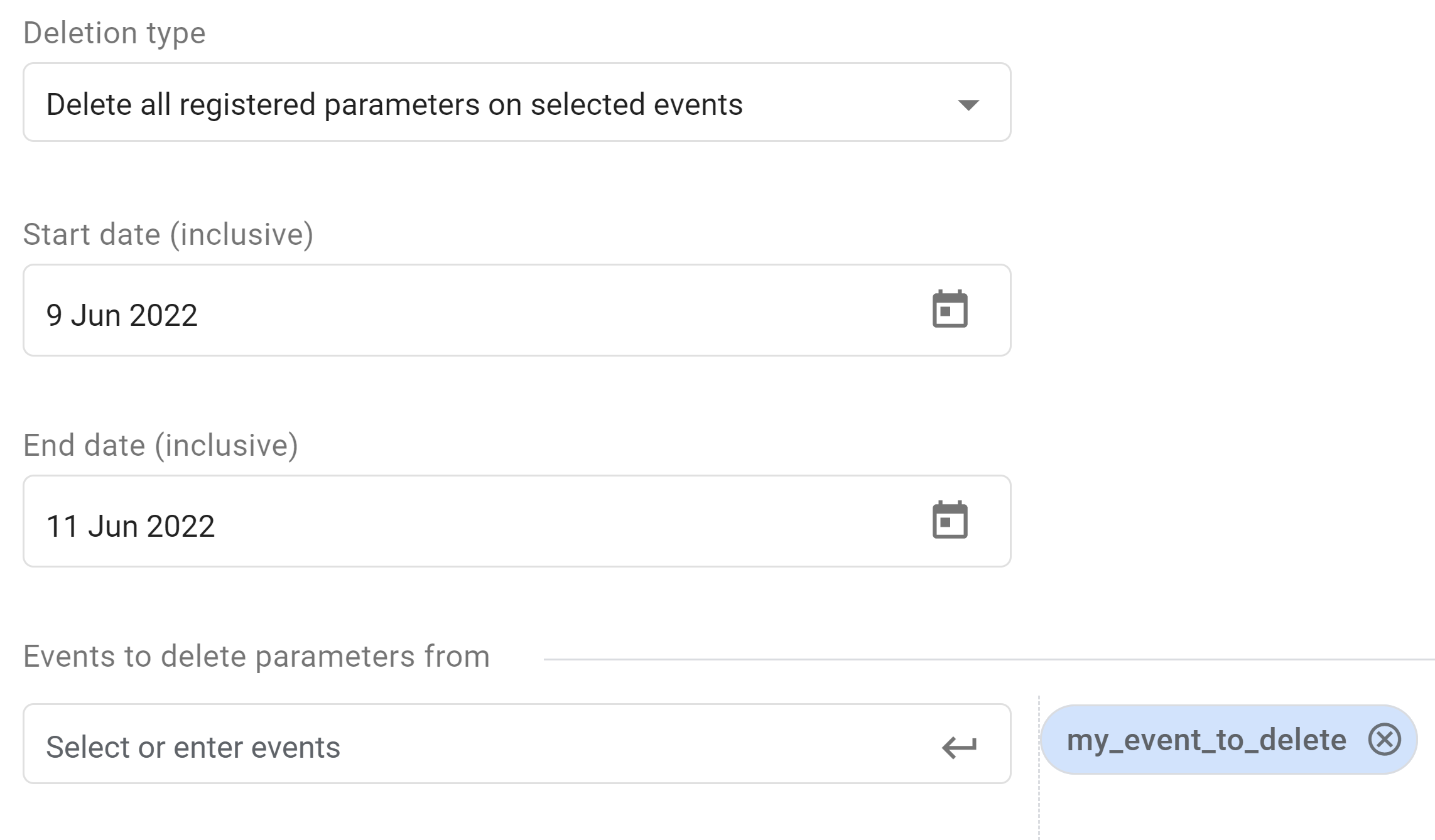
Once the above data deletion has been processed, all that would be left in your property is the event name as it would no longer carry any parameters. So what we need to do is then delete the event from the property.
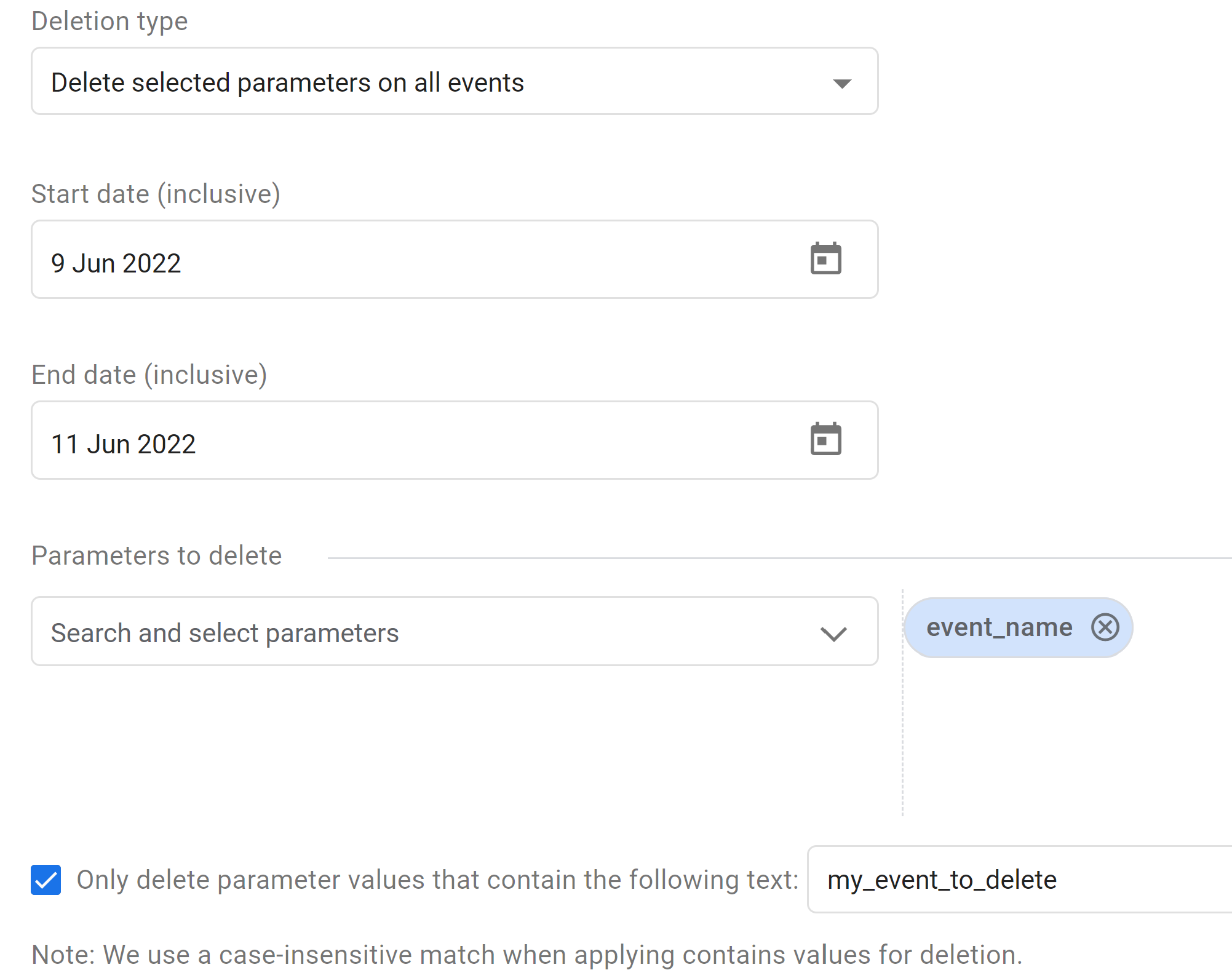
We do this by doing another data deletion request, only this time choose the 'Delete selected parameters on all events' option. Within the ‘Parameters to delete’ dropdown field search for ‘event_name’ and add this parameter. Finally, enable the option to ‘only delete parameter value that contain the following text’ and enter the name of your event that you want to delete i.e. ‘my_event_to_delete’ in our example, and then schedule the request.
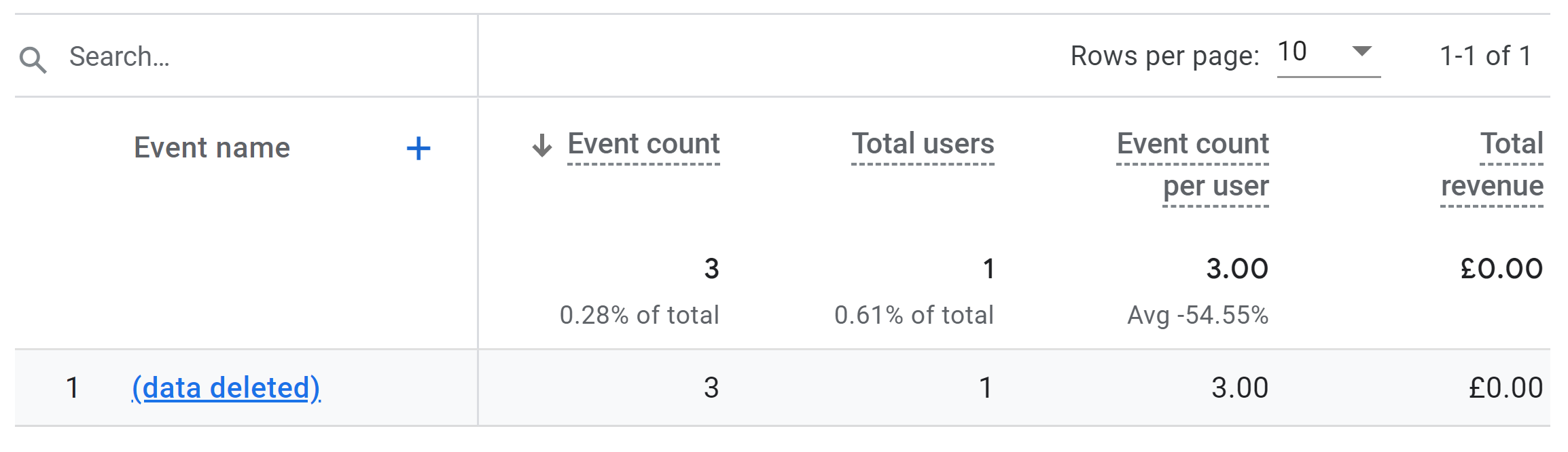
Once the above two requests have processed, you’ll still be left with an event in your events reports called ‘(data deleted)’, and all associated parameter values will also appear as ‘(data deleted)’ too.
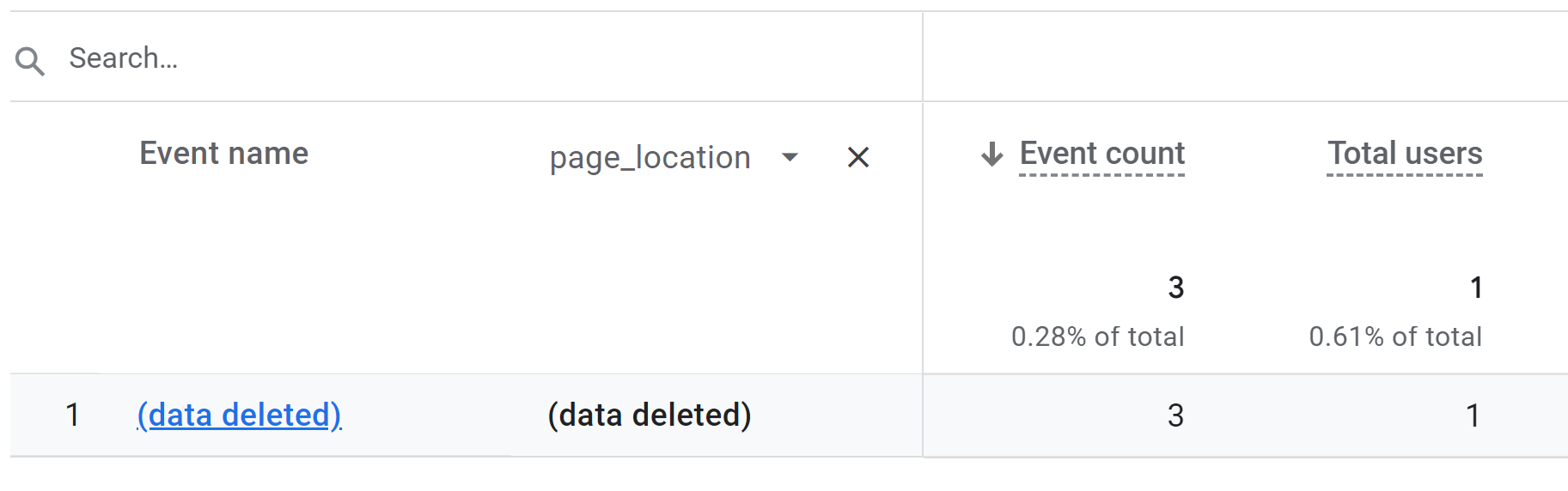
Note: in our example above, we have the parameter 'page_location' set as an event-level Custom Dimension and thus it is deleted via this process. The standard out-of-the-box dimensions are not deleted, i.e. Page path
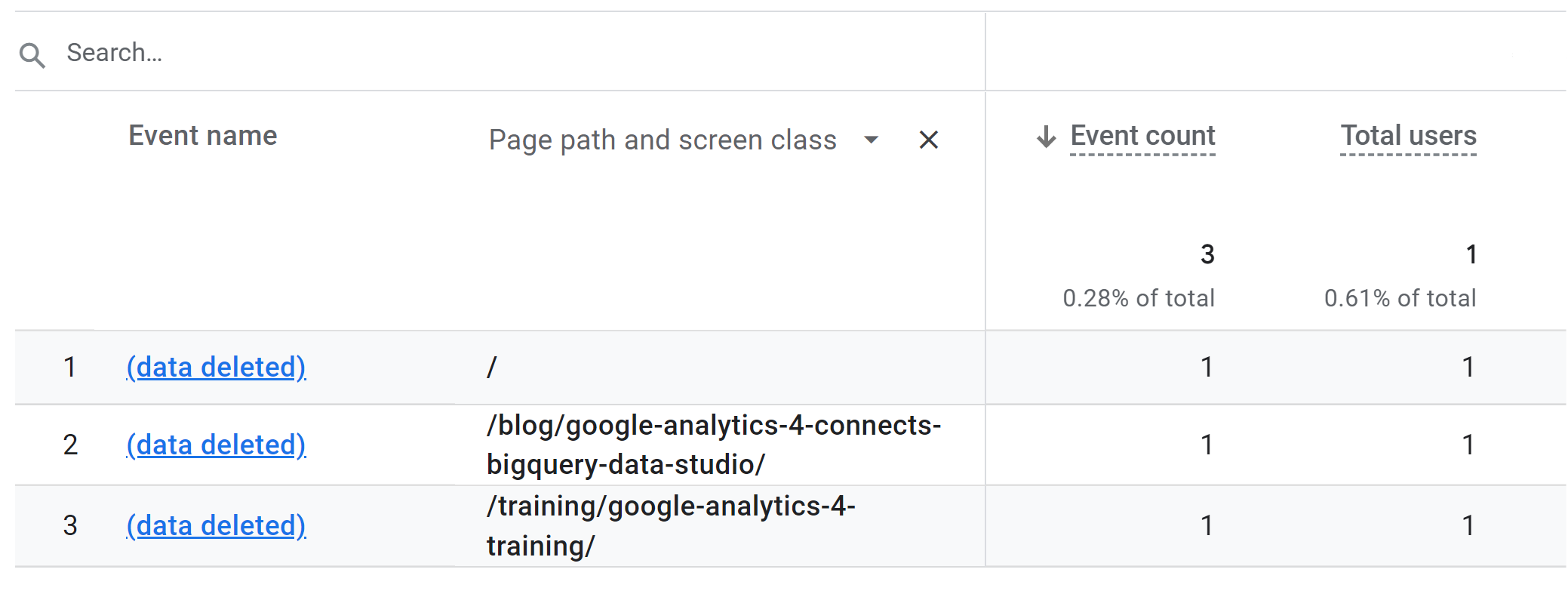
There's not much else we can now, the '(data deleted)' event will remain visible in the reports. However, you can of course manually filter these events out in any custom report, or dashboards you build in Data Studio.
Happy deleting!
Working through GA4 questions like this as a team? Our GA4 training course is run for your whole team.
We investigate and fix collection, tagging and consent problems, with a record of what was tested and what remains uncertain.
An automated first look at collection and consent signals visible on your public site. No account access needed.
Google made data strength central at GML 2026 and now measures it in Google Ads. But it is not a setting you switch on. Here is what actually builds it.
Mark Rochefort21 Jun 2026
Dara and Matthew recap 2025 with 12 top highlights, AI, analytics, and the best moments on The Measure Pod.
Will Hayes19 Dec 2025
AI expert Daniel Hulme, founder of Satalia, shares his journey from UCL PhD to entrepreneur, discussing AI, consciousness & deep tech.
Will Hayes28 Nov 2025