Insights

Google Tag Manager

Google Tag Manager implementation, configuration, and best practices (132 posts)

Browse the archive

132 results · Page 8 of 8

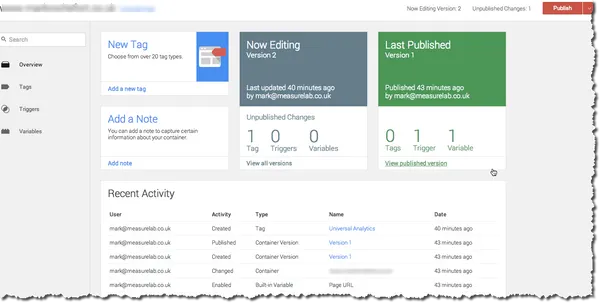
GTM’s new interface: public‑beta update, API & feature changes

Things move fast in the digital world. Even more so when the might of Google is behind a product. Even so, a complete overhaul of the Google Tag Manager interface is quite a leap - considering how accustomed we have become to seeing incremental changes in product development. This morning I was using Google Tag Manager as usual, this afternoon I noticed that an import/export feature had become available. That was great news in itself, as it opens up all sorts of possibilities - for example, link

Mark Rochefort-

Adam's Analytics Adventure: Week 4

<figure class="kg-card kg-image-card kg-card-hascaption"><img src="http://measurelab2.wpengine.com/wp-content/uploads/2014-07-19-15.22.35-1024x768.jpg" class="kg-image" alt="Went for a wander around Lewes itself over the weekend. The images aren't super-relevant, but they're quite nice. This one is down near the Priory." loading="lazy" width="1024" height="768"><figcaption>Went for a wander around Lewes itself over the weekend. The images aren't super-relevant, but they're quite nice. This on

Adam Englebright-

How to set up Google Analytics Enhanced Ecommerce (5 easy steps)

If you are anything like me, you will have seen the fandangled new “enhanced” e-commerce reports that are starting to become available in Google Analytics accounts (N.B. - Universal web properties only) and thought “yes, I’ll have some of that”. The reports allow for much deeper analysis of shopping behaviour - to understand things like influence of product impressions on conversion - as well as providing much anticipated refund and voucher/ affiliate code support. In the spirit of catchy blog

Mark Rochefort-

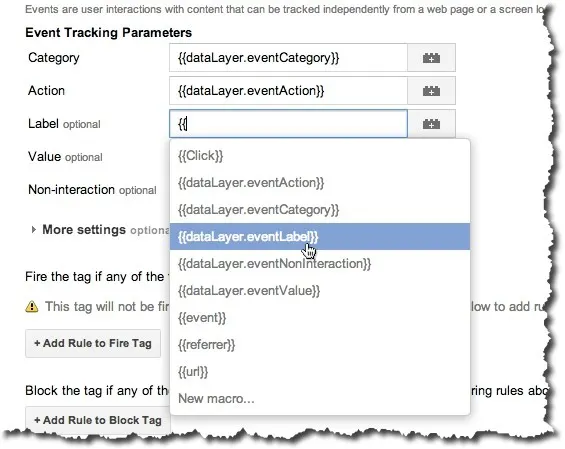
Google Tag Manager auto-event tracking - useful Tags, Macros and Rules for Google Analytics events

The recent introduction of <a href="http://analytics.blogspot.co.uk/2013/10/no-code-required-auto-event-tracking.html" target="_blank" rel="noopener noreferrer">auto-event tracking</a>&nbsp;for <a href="http://www.google.com/tagmanager/" target="_blank" rel="noopener noreferrer">Google Tag Manager</a>&nbsp;was a welcome piece of news for many of us keen to remove custom jQuery from within the container. But it quickly became apparent that, to make real use of the auto-event tracking feature,

Mark Rochefort-

Migrate jQuery event listeners to GTM auto‑event listeners: a better way

Tag Containers are great. In a former life I was developer and I can really appreciate how much help they can be to people wanting to just add a "bit of code" to a website. But, as said former developer, I can also appreciate what a potential disaster it is to give the marketing guys the ability to add code to a website - outside of your carefully considered source control mechanisms and deployment routines. So - the recent announcement (there's quite a few on that link) from the team at Google

Mark Rochefort-

GA Summit 2013: Key Google Analytics updates & insights

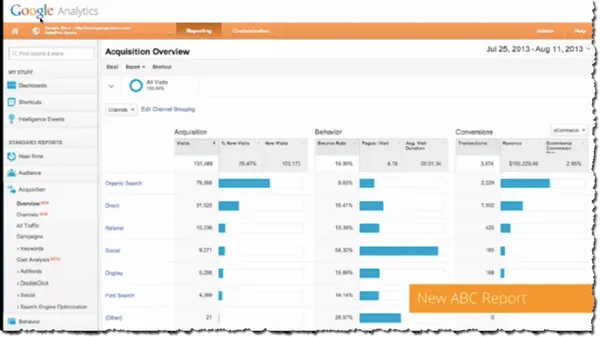
The theme of this years summit is a focus on helping customers in three areas: Access, Empower, Act. The slide above was shown by the GA team to summarise the 3 part theme. Babak Pahlavan (Director of Product Management, Google Analytics) let the crowd know that GA have made 70+ releases in 2013 so far, which makes sense on reflection given how busy the year has been. This has included major updates such as the global roll out of Universal Analytics, the introduction of the Attribution Modellin

Dara Fitzgerald-