
#20 Why you should link GA4 to BigQuery today (with Lace-Chantelle Rogers)
This week Dan and Dara are joined by Lace-Chantelle Rogers to discuss why it's important to link GA4 to BigQuery as soon as possible.
Daniel Perry-Reed-
Insights
Step-by-step guides, tutorials, and instructional content (117 posts)
Explore a topic across our insights
117 results · Page 6 of 7
This week Dan and Dara are joined by Lace-Chantelle Rogers to discuss why it's important to link GA4 to BigQuery as soon as possible.

Learn how to create and set cookies using Google Tag Manager using this simple script and a Custom HTML tag.

If you’re migrating from Universal Analytics to Google Analytics 4, our PIVOT framework provides guidance on what you’ll need to consider at each stage of the process. See our GA4 migration guide.
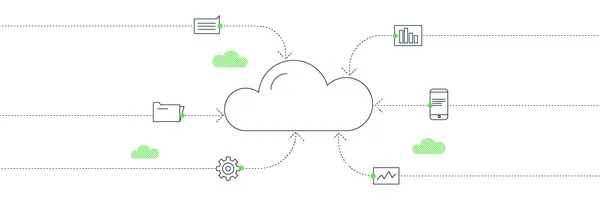
BigQuery is literally the next “Big” thing (with a capital B) in analytics. We explain what it is, how some of our clients are already using it, how much it costs and where you can start.

Flattening tables in Google BigQuery can be painful when doing multiple fields with UNNEST. User-defined functions (UDFs) make life easier and this one will do it for you automatically.

Sometimes less is more; especially when it comes to security access. This simple walkthrough will show you how to use GCP IAM to surface just the parts of your data warehouse to just the right people.

Why automate data import into Google Analytics A few months back I was granted access to a Google Cloud Source Repository (private Git repositories hosted on Google Cloud part of Google’s Cloud developer tools) that contained Python code and configuration details for automating the extraction of data from a BigQuery table and uploading to Google Analytics as a custom dimension via the Management API on a desired schedule. Choosing the right approach for blog word counts Being primarily a Jav

This is part 3 of a semi-regular series, dedicated to reusable GTM solutions for scenarios or issues we’ve encountered more than once. Last time we looked at how to track clicks on iframes using GTM, and this time we’re looking at how to turn on-page classic Google Analytics calls to data layer pushes. The problem with hard-coded GA calls Say you still have hard-coded calls to classic GA on the page, but the library code itself was being delivered via GTM. It's now been removed, but there are

So… you’ve been asked to conduct a training session and you don’t know where to start. Or, you’re looking for a way to take your current training process to the next level. Whatever your level of experience, the following tips will help you make your next training session exceptional. 1. Know the subject The first step in giving an exceptional training session is being deeply familiar with the subject matter. In the words of Albert Einstein: You may think you know a subject through and throu

This is part 2 of a semi-regular series, dedicated to reusable GTM solutions for scenarios or issues we've encountered more than once. Last time we looked at how to fire Google Analytics event to keep track of your Google Optimize experiments in GA, and this time we're looking at tracking clicks on iframes. We have encountered, several times, the situation of a client wanting to track clicks on an iframe. While we can't do much about interactions with stuff within the iframe without having GTM a

Here at Measurelab, we work predominantly with the Google stack but that doesn't stop us using other tools. As there's not much documentation available in the public forum on how to implement Enhanced Ecommerce in Google Analytics using Adobe Dynamic Tag Manager (DTM) formerly know as Satellite, I think this blog post would be useful. As good introduction to the tools itself, below there’s a useful overview of Adobe’s Dynamic Tag Management architecture, which is from their learning resource pa

<span style="font-weight: 400;">This article describes how to integrate Google Analytics for Firebase (formerly Firebase Analytics) to a React Native app. </span><span style="font-weight: 400;">In order to do this, you need to use a JavaScript bridge called </span><a href="https://github.com/invertase/react-native-firebase"><span style="font-weight: 400;">RNFirebase</span></a><span style="font-weight: 400;">. </span> This is lightweight layer sitting on top of native Firebase librarie

Getting started with Google Data Studio Since its release back in May 2016, Data Studio (a free version of Data Studio 360) has made quite a lot of progress on improving its functionality. Of course, it is still in beta, so you might come across some system bugs and limitations, but the Google team is working hard to add new features and fix any issues the user may face, with at least two new releases per month (so far). I won't go into details as what you can do with the tool, as you can chec

If you want to integrate your Optimizely experiment and variation data with Google’s Universal Analytics via Google Tag Manager, you will soon see that the official documentation assumes a custom‑coded implementation. It then instructs you to edit your GA pageview tag directly. If you are using Google Tag Manager, then you obviously will not want to follow this guidance as you probably have the Google Analytics pageview tag in a tag template. It is always advisable to keep custom JavaScript an

Starting a new adventure in analytics When I first decided to quit my ohh-so-lucrative job in the investment banking, most of my friends and family thought I was going bonkers! Neither were they impressed with my idea to start a new career in Web Analytics, working for some small start-up based in Lewes (wait why exactly do you want to work in Loos?!?). I must say that I had my doubts as well - will I be able to adapt to a totally new working environment? Will I ever learn what all the cookies,

<p class="p1">“<a href="https://developers.google.com/analytics/devguides/reporting/core/v4/changelog#header">Core Reporting API update</a>” doesn’t sound like the most exciting thing in the world, but trust me: it is. Well, maybe not <i>the</i> most exciting thing, but certainly getting on that way. So what’s new?</p> * Metric Expressions Are you sick of having to do post-processing on metrics in a separate sheet before you pipe them to your presentation layer? Well, guess what – you can
Earlier in this series we reviewed several R libraries for Google Analytics. Then we started using RGA. Next we pulled data from Google Analytics using RGA. What now? I’m reaching for my university notes, because we’re getting into proper R territory. Diving into graphs with R Let’s start with graphs! Who doesn’t love a good graph? It just so happens there’s a lovely R library called ggplot2 that does really excellent graphs of all shapes and sizes1. We’re probably best looking at a few speci
<strong>IMPORTANT: THE PACKAGE HAS BEEN UPDATED BUT ADAM HASN'T HAD TIME TO UPDATE THIS YET! PROCEED AT YOUR PERIL!</strong> Last time, we had a look at how we could use RGA to pull in account details and suchlike. It’s not essential, but I’d suggest you go back and read through it, as it might make some of what we do next a little easier – and, of course, if you haven’t done so already, read the first piece too and follow the instructions enumerated therein to allow you to do, well, any of